Burp Suite Reporting,
Straight From the Proxy
Send Burp Suite requests and Scanner issues straight into your engagement, with request and response evidence attached. Burp Suite reporting without copy and paste.
Send It Once. It Is Already in the Report.
Burp Suite is where a web application test actually happens. The proof lives in Repeater tabs and proxy history, and getting it into a report has always meant copying requests out one at a time. The Neuron Burp Suite extension sends them for you.
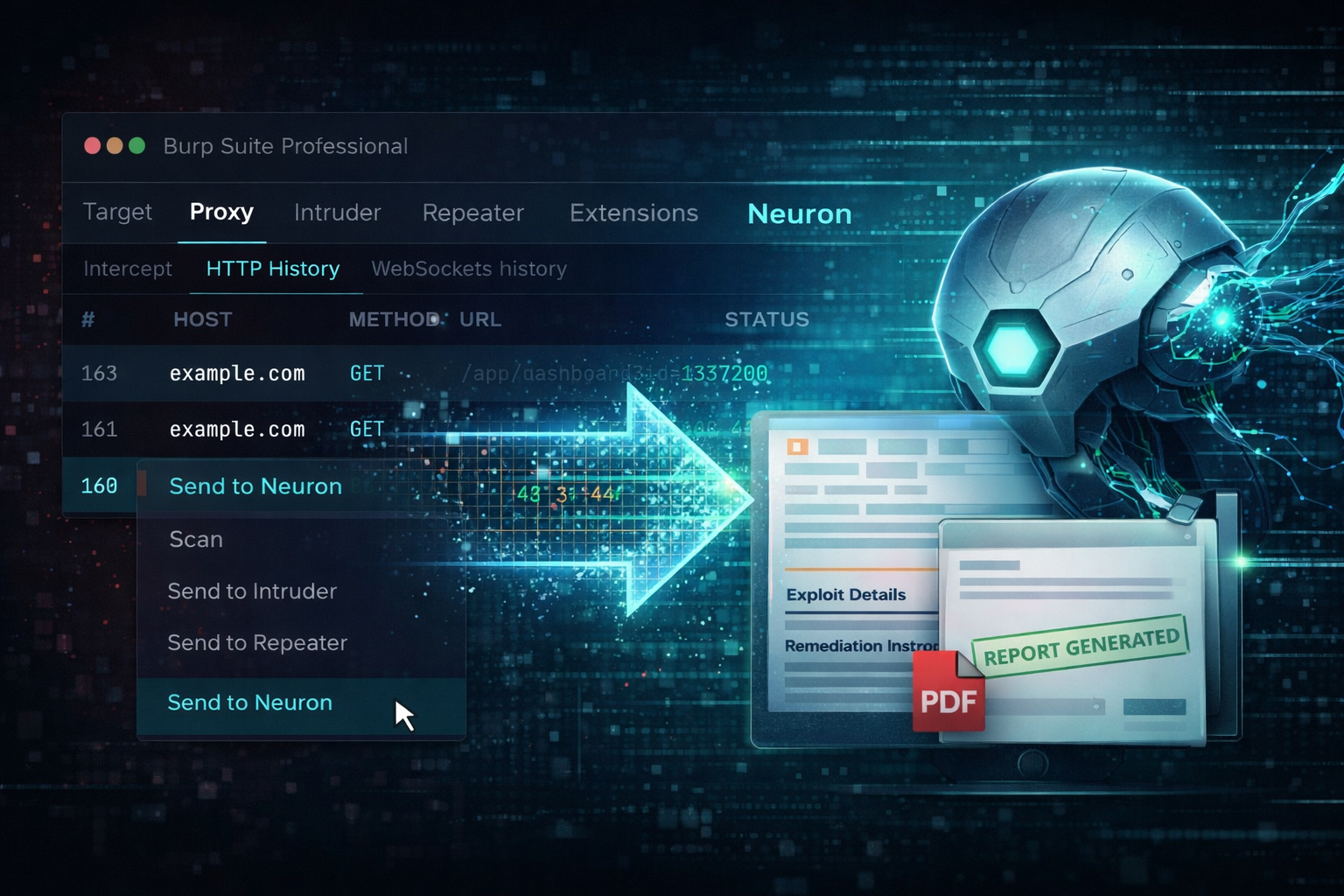
Pair a Burp project with an engagement once. Right-click any request, or press Ctrl+Shift+N, and it lands in Neuron with its response, against the web app, endpoint, and parameters it touched. Burp Scanner issues go to the Scan Issues triage queue with the request and response that prove them.
Testing from a box without the extension? Select the requests in proxy history, use Save items to write them as XML, and import the file in the browser or with neuron import. Hosts, web apps, endpoints, parameters, and requests land the same way.
Why Burp Suite Reporting Takes So Long
Burp holds everything a web finding needs: the request that triggered the issue, the response that proves it, the Scanner issue that flagged it. None of it is in a shape a client deliverable can use. A Burp Scanner report is built for Burp users, and copying out of Repeater mangles headers and line breaks.
So every finding costs the same detour. Switch windows, copy the URL, copy the request, copy the response, trim the body, redact the session cookie by hand, and reformat. Multiply that by every issue on a large web application assessment and the reporting week fills itself.
Then the retest comes around and nobody can find the exact request that proved the original issue, because it lived in a Burp project on someone else's laptop.
Everything Burp Suite Produces, On the Engagement
Send from Burp Suite with the Neuron extension and it lands on the engagement as you test.
Requests and Responses
Every request you send from Proxy, Repeater, or anywhere else in Burp, stored with its response on its web app. Burp comments become notes, and large responses are trimmed so the evidence stays readable.
Web Apps, Endpoints, and Parameters
Hosts, web apps, endpoints, and parameters created from the traffic you send, so the engagement maps the application as you test it.
Burp Scanner Issues
Scanner issues for in-scope targets in the Scan Issues triage queue, one scan issue per issue type, with every affected path as a location and the request and response as evidence.
Redacted Secrets
Cookies, authorization headers, API keys, and tokens replaced with [REDACTED] by your HTTP redaction patterns before anything is stored. Send with sensitive values when the finding depends on one.
Scope Synced Into Burp
In-scope web apps added to Burp's Target scope and out-of-scope ones excluded, with every conflict shown before anything changes, so nothing out of scope gets scanned by accident.
Back Into Repeater and Intruder
Open any stored request in Repeater, load an endpoint into Intruder with its parameters marked as payload positions, or start an active scan, straight from Neuron.
How to Send Burp Suite Traffic to Neuron
- 01
Install the Neuron extension
Download the extension from Tools on your own Neuron server and add it in Burp under Extensions, Installed, as a Java extension. It needs Burp Suite Professional. Then enter your Neuron server's address in the Neuron tab Burp adds.
- 02
Pair the Burp project with the engagement
Choose Pair this project in the Neuron tab, check that the code matches, and approve it in Neuron. Reopening the project reconnects it, and the pairing can be revoked from API Tokens at any time.
- 03
Send requests and Scanner issues
Right-click a request and choose Send to Neuron, or press Ctrl+Shift+N. Choose Sync issues to send every in-scope Scanner issue, or tick automatic sending and new issues arrive within seconds of Burp reporting them.
- 04
Or import a saved proxy history
Select requests in Burp's proxy history and use Save items to write them as XML. neuron import recognises the export from its content, or upload it on the engagement's Import page.
$ neuron import acme-proxy-history.xml
Your Infrastructure. Your Data.
The extension sends straight from Burp Suite to your own Neuron server. Requests, responses, and evidence stay inside your network and never pass through a third-party cloud.
From Burp Suiteto the Final Report
The request that proved the issue is already on the engagement, redacted and attached to its web app. Promote a confirmed Scanner issue into a finding, or create one from the stored request, and the evidence is in place before you write a word.
Your Findings Library supplies the approved description and remediation for the issues Burp reports most, so a cross-site scripting finding reads the same whichever tester wrote it, and the QA pipeline reviews it before the client does.
When the retest comes, Send to Burp opens the original request in Repeater with your current session filled back in from Burp's cookie jar. Replay it, send the new response to Neuron, and the fix has its proof.
Burp Suite Integration FAQ
The questions teams ask most about Burp Suite and Neuron.
How do I get Burp Suite findings into a pentest report?
Install the Neuron Burp Suite extension and pair your Burp project with the engagement. Right-click any request to send it with its response, and sync Burp Scanner issues into the Scan Issues triage queue, where a confirmed issue promotes into a finding with the request and response already attached.
Can Burp Scanner issues be sent to Neuron automatically?
Yes. Tick automatic sending in the Neuron tab and each new in-scope Burp Scanner issue is sent within a few seconds of Burp reporting it. If Neuron cannot be reached, the issues wait and go with the next batch. Issues marked false positive in Burp are never sent.
Which Burp Suite export does Neuron import?
The XML Burp writes when you select requests in proxy history and choose Save items. Neuron creates hosts, web apps, endpoints, parameters, and stored requests from it, and raises web configuration issues such as missing HSTS or insecure cookies. Burp Scanner issues come in through the extension.
Does sending Burp Scanner issues again overwrite my triage?
No. An issue nobody has triaged is refreshed with Burp's latest details. An issue already confirmed, promoted, or marked false positive keeps its content and state, and only gains new affected paths, with the addition recorded in its audit trail.
Are session cookies and tokens from Burp stored in Neuron?
Not by default. Neuron replaces cookies, authorization headers, API keys, and tokens in a Burp request with [REDACTED] before storing it. When a finding depends on the secret, Send to Neuron, include sensitive values stores it as captured and records that redaction was skipped.
Does the Neuron Burp extension need Burp Suite Professional?
Yes. The extension runs in Burp Suite Professional, which also starts the active scans you launch with Scan in Burp from Neuron. Everything it sends goes to your own self-hosted Neuron server, never a third-party cloud.
More Neuron Integrations
ZAP Reporting and OWASP ZAP Alert Import
Web TestingCaido Reporting and HTTP History Import
Web TestingOpenAPI and Swagger Import for API Pentests
Web TestingNuclei Scan Reporting and Import
Web Testingffuf Reporting and Content Discovery Logging
Web TestingNikto Reporting and Output Import
Web TestingAcunetix Report Import for Pentest Reports
Web TestingInvicti and Netsparker Report Import
Web TestingReady to Transform Your Security Practice?
See how Neuron helps security teams replace fragmented tools with a single platform for offensive security, bringing structure, visibility, and consistency to every engagement.
Platform