Product ·
The Neuron CLI, and Your C2 on the Timeline
The Neuron CLI records your terminal to the engagement timeline, imports scans as you run them, and streams Mythic and Sliver operations into Neuron, ready to raise as findings.
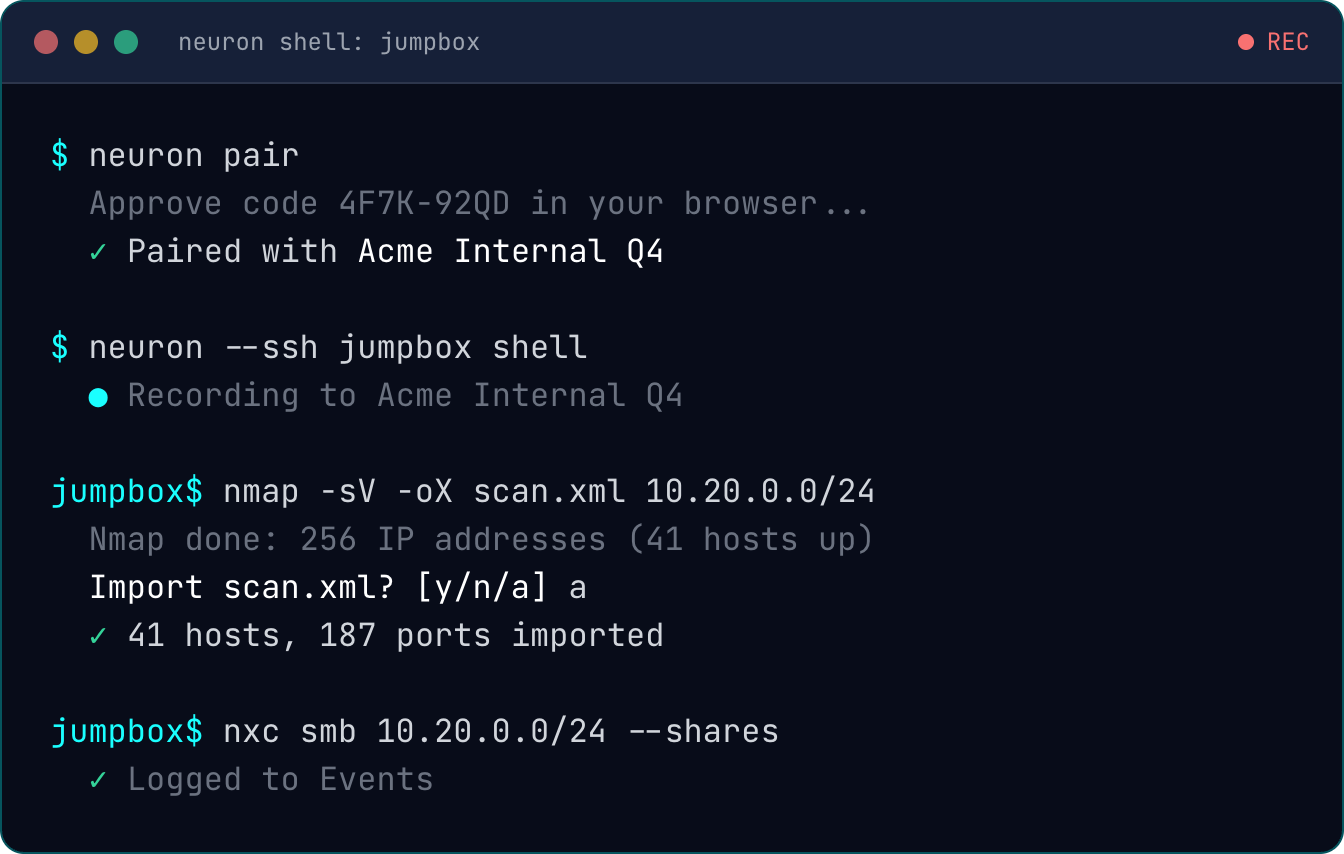
Most of an engagement happens in a terminal. Most of the record of it gets written afterwards, from shell history, half-saved output files and memory.
The Neuron CLI closes that gap. It runs on your laptop, pairs with an engagement, and sends what you do in the terminal straight to it, including on the jumpbox you SSH into.
Pair It With the Engagement
Install it from the new Tools page on your own Neuron server with one curl line, which checks the build’s SHA-256 before it’s installed. Point it at your server with neuron set-core, then run neuron pair, which opens Neuron in your browser with a code to check. Approve it, choose the engagement, and everything the CLI sends goes there. The pairing reaches that one engagement and nothing else.
A Shell That Writes the Timeline for You
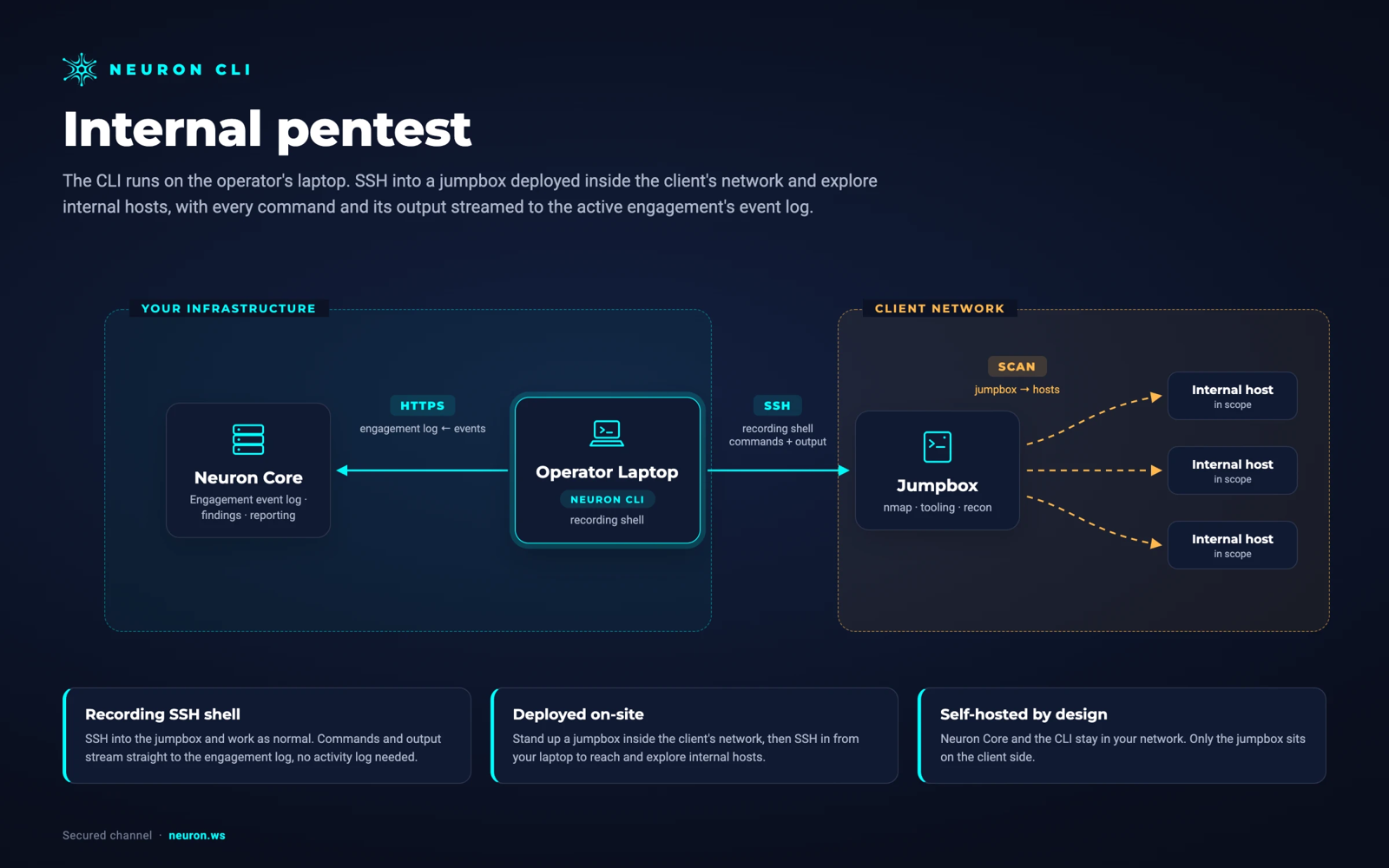
neuron shell starts your normal shell inside a recorded session. It behaves exactly like your usual terminal, but each command you run is logged to the engagement’s Events timeline with its output.
neuron --ssh jumpbox shell does the same on the box you test from. The CLI uses your own ssh, so your config, agent and jump hosts all apply, and nothing is installed on the box. Each command shows where it ran and is linked to that host.
When a command writes a scanner’s output file, such as nmap -oX scan.xml, the shell asks whether to import it as soon as it finishes.
Run, Import, Export
neuron nmap -sV 10.0.0.0/24runs the tool and imports its result in one step. Nmap, Masscan and Nuclei results are imported, and any other tool is run and logged.neuron import *.xmlsends scanner output to the right importer, worked out from each file’s content.neuron export hosts targets.txtwrites the engagement’s in-scope hosts, ports, subnets, web apps or people as a plain list, ready to feed the next tool.neuron copymoves files between the box and the engagement’s File Share, andneuron syncpushes updated files back out to where you put them.
Your C2, Streamed Into the Engagement
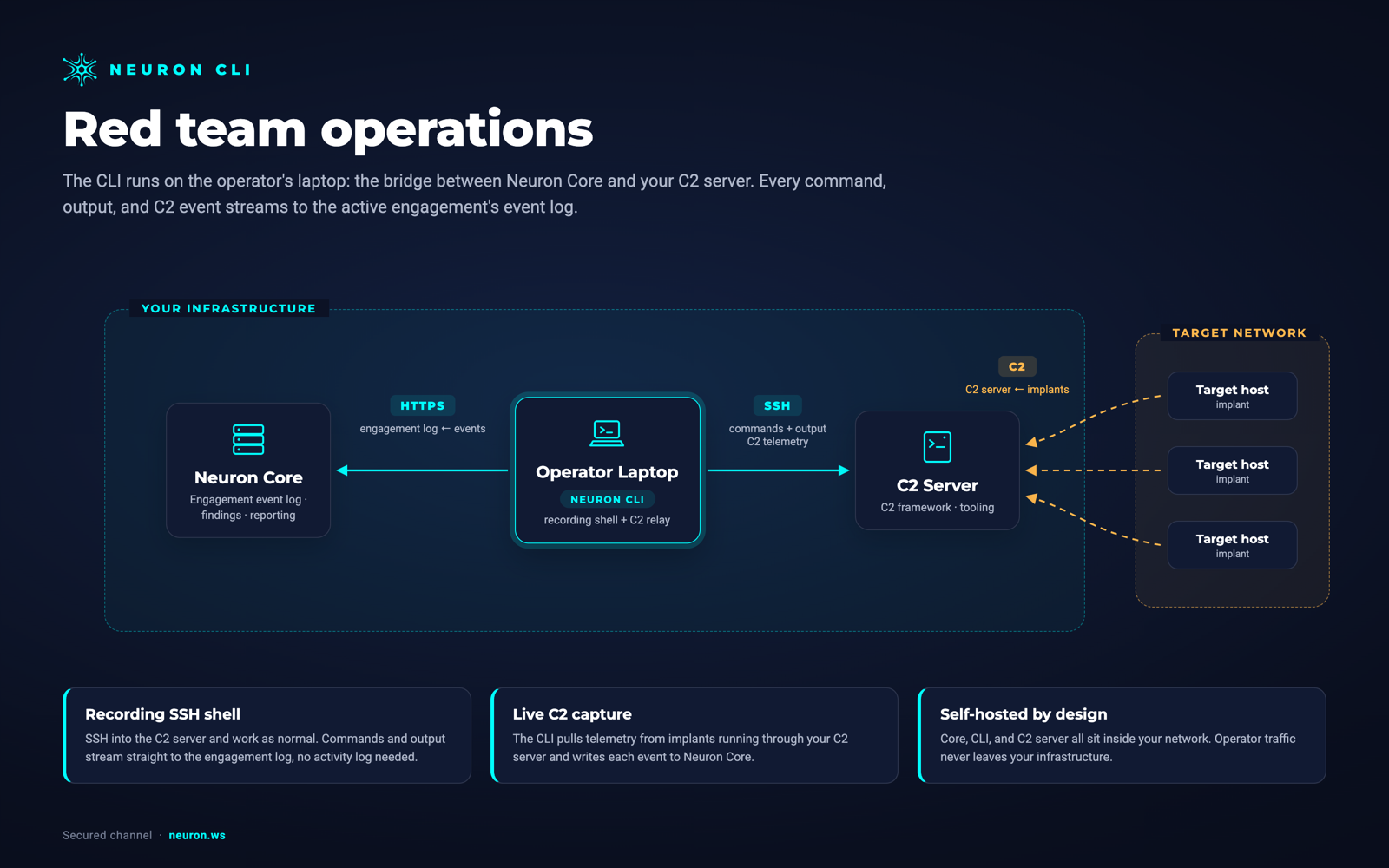
On a red team operation, the activity lives in the C2. The CLI’s collectors relay it to Neuron for as long as they run:
neuron collector mythicstreams a Mythic operation’s tasks, callbacks, credentials and files.neuron collector sliverstreams a Sliver server’s sessions, beacons, tasks, harvested credentials and loot.
Each event carries the operator’s name, its source and the ATT&CK technique the C2 recorded. Process lists, directory listings, netstat and ifconfig output appear as tables rather than raw text, screenshots show inline, and downloaded files land in the engagement’s Files, organized by host.
Host artifacts the C2 recorded for cleanup, such as processes created, files written and registry keys set, each become their own Artifact event linked to their host. When the operation ends, the cleanup list is already written.
Collectors need the Red Team module on your Neuron server.
From Events to a Finding
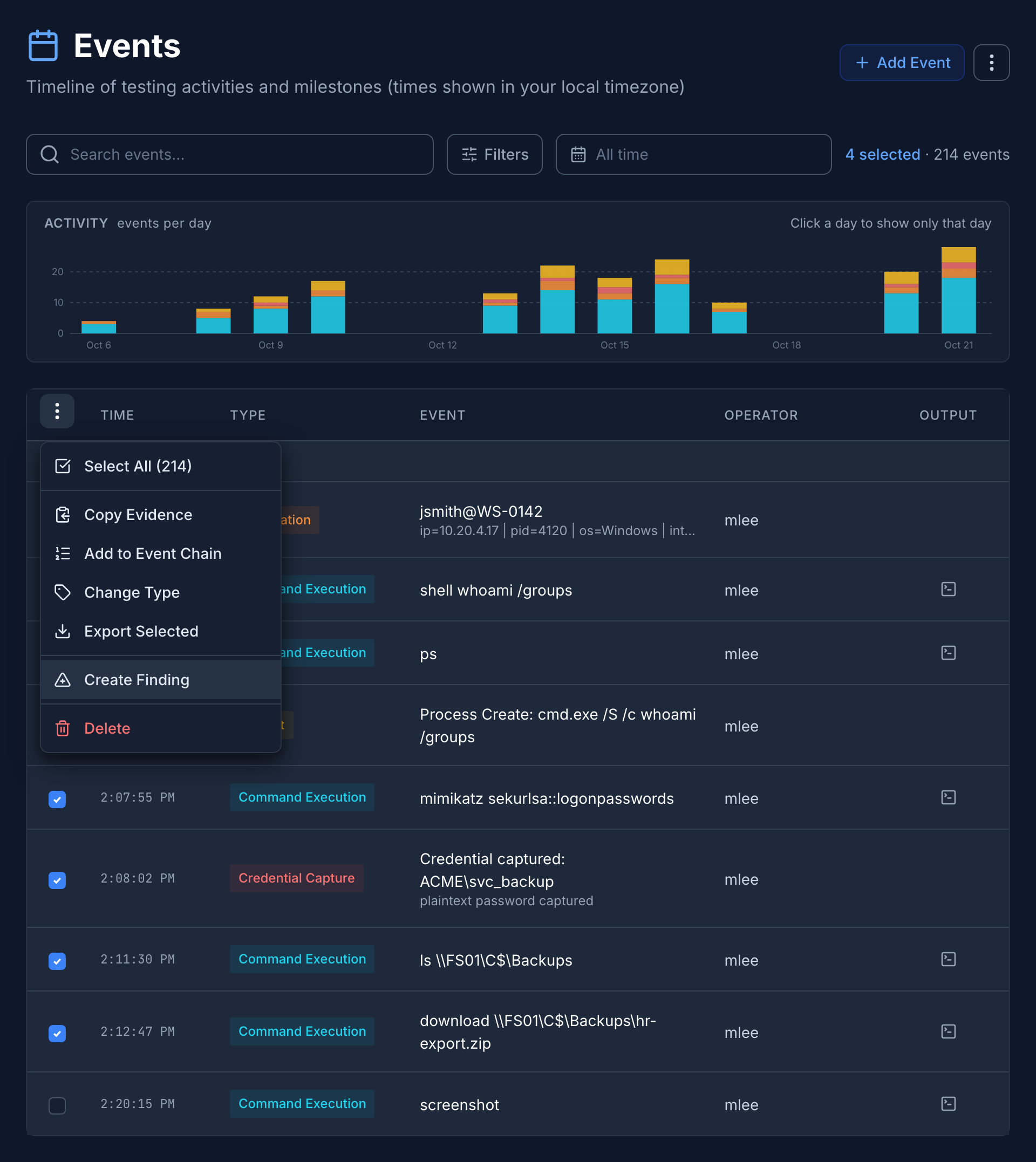
An attack is usually several events in a row. Select them on the rebuilt Events page, or take a whole event chain, and choose Create Finding. Generate it with Neuron AI, start from the library, or write it yourself.
However it’s created, the events are written into the finding’s evidence as one story: a timeline table, then each step in order with where it ran, who ran it, the command and its output. Credentials are described by account, type and privilege, never by the password or hash itself. The hosts and ports the events touched are linked to the finding automatically.
Copy Evidence gives you the same story as markdown, without creating a finding.
What This Means for Your Team
The engagement record writes itself while you work, whether that’s a recorded shell on a jumpbox or a Mythic operation running for three weeks. Operators stop reconstructing timelines from memory, and the path from a C2 callback to a finished finding is a few clicks instead of an afternoon.
If you’d like to see the Neuron CLI in action, visit neuron.ws/demo
Thanks for reading,
The PenTest.WS Development Team
Get Neuron news in your inbox
New capabilities and how teams use them. No spam.